
Drma: AI Short Drama Maker
AI Video Generator - AI Hug & Kiss Video MakerArt & Design
4.5641.00 Reviews
- Version
- 2.0.8
- Installs
- 1.00M
- Age Rating
- Teen
Screenshots
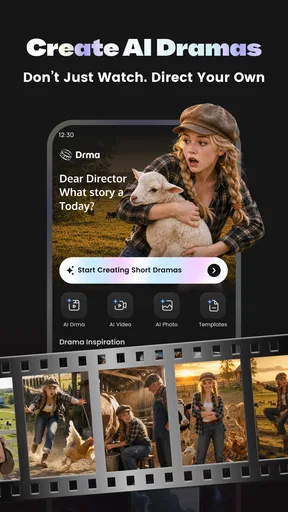
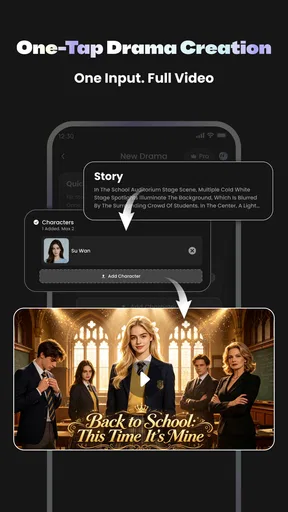
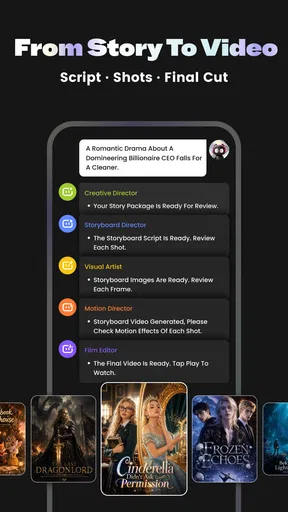
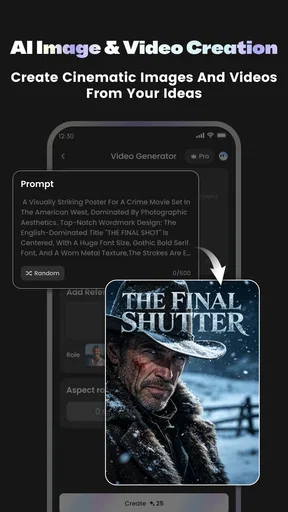
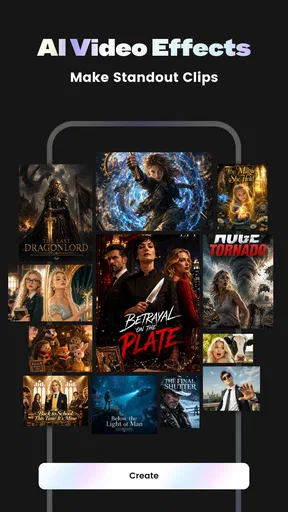
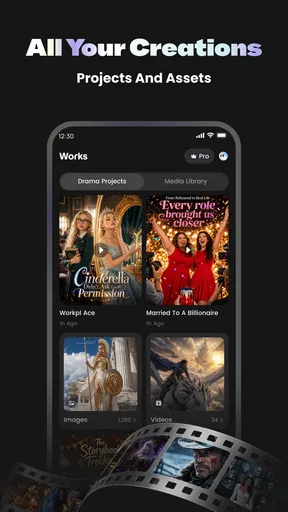
Our Review of Drma: AI Short Drama Maker
 Analysis by Appyee
I pay attention to whether an app makes its main task easy to understand, but also whether it remains comfortable to use in different settings and for people with different needs. Video AI - AI Hug & Kiss Maker is an art-and-design app built around turning photos or text into AI-made videos, images, and short dramatic scenes. Its playful premise is immediately clear; what matters in practice is whether the creative process feels approachable, and where a user may need patience or a different tool.
Readable controls and a simple creative path
The app’s appeal is that you can approach it with an idea rather than a production plan. Someone who wants to make a lighthearted greeting, for example, can start with a photo or a text prompt and explore templates instead of learning a full video editor first. I find that distinction useful: it lowers the creative barrier, though it also means the result depends more on the app’s generation choices than on precise manual editing.
For a first try, I’d keep the request focused. A short, specific prompt or a photo with one obvious subject gives the AI a clearer starting point than a busy scene with several people and competing details. That’s a practical trade-off with generative tools: less ambiguity can mean fewer unwanted surprises, while a more elaborate idea may take experimentation to get close to what you imagined.
The app is free to install and has an average rating of 4.4 from around 287,000 ratings, with more than one million installs. Those figures suggest broad interest, but they don’t guarantee that every output will suit your taste. The developer is AI Video Generator - AI Hug & Kiss Video Maker, and the app is rated for Everyone. It runs on Android 8.1 or newer, while optional in-app purchases range from $0.99 to $59.99 per item, so I’d check the purchase details before committing to any paid creation flow.
Making AI creations work for different people and settings
I find it useful to judge a creative app not only by what it can make, but by how comfortably people can approach the process and decide whether a result suits its audience. With this app, I’d treat the first creation as a low-stakes experiment: choose a clear idea, review the output, and then consider how the same workflow fits different abilities and everyday settings.
Motor and sensory considerations
A template-led workflow can be easier to approach than a traditional editor full of timelines, small tools, and layered controls. That may suit someone making an occasional greeting or experimenting with visual ideas, especially if they would rather choose a starting point than assemble every part by hand. On the other hand, AI generation is not the same as direct, frame-by-frame control: if you need exact timing, careful object placement, or repeatable edits, a conventional editing app may be less frustrating.
It’s also worth thinking about sensory context. A generated video may combine movement, visual effects, and sound when those elements are used, so I’d preview a creation before sharing it in a quiet workplace, classroom, or other setting where motion or audio could be distracting. If you’re making something for a person who is sensitive to intense visual or audio content, a restrained prompt and a quick review of the finished result are sensible steps. I wouldn’t assume a template will match someone else’s comfort level without checking it.
Where it fits into an ordinary day
Picture wanting to send a friend a cheerful message after a difficult day, but finding that a plain text reply feels a little flat. You could try turning a suitable photo or a short idea into a small visual greeting, preview it, and send it only if the result feels warm rather than awkward. The same approach could work for a playful birthday message or a casual group chat contribution. It’s best treated as a creative extra, not a substitute for a personal conversation when someone needs real support.
For a more polished result, I’d separate the idea into two steps: first decide what the recipient will understand at a glance, then choose a photo or prompt that supports that single message. This avoids asking the generator to tell a complicated story in one pass. I’d also keep a second, simpler idea ready; if the first output looks confusing, switching to a more straightforward scene is often more efficient than repeatedly adding detail.
Choosing it over a standard editor
Compared with a conventional video editor, this app is more appealing when you want AI-led transformation and a quick creative starting point. An editor is usually the better fit when you need exact cuts, captions positioned precisely, a consistent visual identity, or dependable control over every part of the finished clip. A general image-making app may suit static artwork better, while a social platform’s built-in tools may be faster for a simple post that doesn’t need an AI-generated scene.
That difference also affects who is likely to enjoy it. I’d recommend trying it if you like playful visual experiments, want a low-effort way to turn an idea into a shareable creation, or are curious about AI-assisted art. I’d skip it if your priority is professional-grade editing, predictable results on the first attempt, or a workflow where every visual decision must be controlled manually. The app’s current version is 1.4.3, but I’d still judge it by how well its available creation options match your own project rather than by version number alone.
Practical limits to keep in mind
AI-generated content can be charming, but it can also interpret a prompt differently from what you intended. Before sharing an image or video, check faces, gestures, and the overall tone—especially if the source photo includes someone other than you. A result that seems funny in your own preview might feel overly intimate or simply odd to the person receiving it, so the recipient and context matter as much as the visual quality.
There’s also a difference between trying the app and using it heavily. Free access makes it easy to explore, but the presence of in-app purchases means I would look at the cost shown for a particular option before tapping through a creation flow. If you’re making content for an event or a time-sensitive message, leave room to review and revise rather than assuming the first generation will be ready to send immediately.
Who will get the most from it
This is most compelling for people who value novelty and a quick route from an idea to an AI-assisted visual. It may also be useful when a small group wants to brainstorm playful concepts: one person can suggest a scene, another can refine the prompt, and everyone can decide whether the result communicates the intended joke or sentiment. For someone who prefers accessible, predictable controls over experimentation, a basic editor with familiar buttons may be a better starting point.
Although the app is rated for Everyone, that label doesn’t tell you whether a particular generated scene is right for every age or situation. I’d preview anything intended for a child or a public audience, and I’d avoid using a sensitive personal photo for a joke unless the people shown are comfortable with that use. A little care at the selection stage can prevent an amusing idea from becoming an uncomfortable surprise.
A considerate verdict
For me, the strongest reason to try this app is its approachable, imaginative premise: it invites people to make visual messages without requiring them to begin with a complex editing setup. Its best use is casual and personal, where an unexpected result can be part of the fun. Its weaker fit is any task that demands precise accessibility adjustments, highly controlled editing, or an output that must be dependable without review.
If you’re curious, start with a low-stakes idea, use a clear image or concise prompt, and preview the result before sending it. That gives you a fair sense of whether the app’s AI style suits you without turning a small experiment into a commitment. I see it as a playful creative option rather than an all-purpose production tool, and that is a reasonable place for it to shine.
First Impressions: A User-Friendly Experience
As soon as you launch the Video AI - AI Hug & Kiss Maker, you're greeted with a clean, intuitive interface. It's got that friendly vibe, making it super easy to navigate even if you’re not a tech wizard. The onboarding process is quick, and within moments, you're ready to start creating.
Creating Your First Hug or Kiss
The app offers a step-by-step guide to craft your first virtual hug or kiss. You can either upload a photo or choose from a selection of avatars. I was impressed by the range of customization options. You can adjust everything from the type of hug (bear hug, side hug, etc.) to the style of kiss (peck, smooch). It’s like having a mini animation studio in your pocket!
The AI technology behind the app is pretty nifty. It uses algorithms to analyze your input and produce a natural-looking motion. I tried it with a picture of my cat (because why not?), and the results were adorably hilarious! The movements were smooth and surprisingly life-like.
Features That Stand Out
One of the standout features is the emotion customization. You can tweak the intensity of the hug or kiss, making it tighter or softer based on your preference. There's also a cool feature where you can add music or sound effects to underscore your creation. This adds a personal touch that makes your message even more special.
Another feature worth mentioning is the sharing capabilities. Once you’re happy with your creation, sharing it is a breeze. You can send it directly via messaging apps, email, or even post it on social media. It’s a surefire way to bring a smile to someone’s face.
What Could Be Better?
While the app is a lot of fun, there are a few areas for improvement. For instance, the avatar selection could use a bit more diversity. It’d be great to see more options that reflect different cultures and styles. Additionally, the app sometimes lags when exporting larger files, which can be a bit of a bummer if you're in a hurry.
Another minor hiccup is the occasional glitch with photo recognition. It’s not a deal-breaker, but it sometimes struggles with distinguishing background objects from the main subject. A quick workaround is using photos with clear contrasts, but it’s something the developers might want to polish in future updates.
Why You Should Try It
Overall, Video AI - AI Hug & Kiss Maker is a charming app that brings a playful twist to digital communication. Whether you’re looking to cheer up a friend or send a cute surprise to a loved one, this app offers a unique way to express yourself. It’s a reminder that technology can indeed add a touch of warmth to our interactions.
So, if you're curious about blending AI with everyday gestures, give this app a whirl. It’s easy to use, creatively liberating, and above all, it reminds us that sometimes, a virtual hug or kiss can be just as meaningful as the real thing. Happy creating!
Privacy and Permissions
See what permissions an app requests and how it handles your data.
- Photos/Media/Files
- read the contents of your USB storage, modify or delete the contents of your USB storage
- Storage
- read the contents of your USB storage, modify or delete the contents of your USB storage
- Camera
- take pictures and videos
- Microphone
- record audio
- Other
- view network connections, full network access, prevent device from sleeping, read Google service configuration
Verdict
Strengths of Drma: AI Short Drama Maker
- User-friendly interface for quick access.
- Wide range of customization options.
- High-quality AI-generated videos.
- Fast processing times for video creation.
- Regular updates with new features.
Limitations of Drma: AI Short Drama Maker
- Limited free features without subscription.
- Occasional glitches in video rendering.
- Requires high-speed internet for uploads.
- Some features locked behind paywall.
- Ads can be intrusive in free version.
Other Releases by AI Video Generator - AI Hug & Kiss Video Maker
View All
Tuni: AI Music Video Maker
Music & Audio4.6
Similar Picks in This Category
View All
Canva: AI Photo & Video Editor
Canva4.8

PENUP – Drawing-sharing SNS
Samsung Electronics Co., Ltd.4.5

Crafto
Kutumb App4.6

Sketchbook
Sketchbook4.1

ibis Paint X
ibis inc.4.5

Adobe Express: AI Photo, Video
Adobe4.6
Frequently Asked Questions
What is Video AI - AI Hug & Kiss Maker?
Video AI - AI Hug & Kiss Maker is an innovative app that uses artificial intelligence to create personalized videos where users can simulate hugs and kisses with digital avatars. It’s perfect for sending virtual affection to friends and family, especially when physical proximity isn’t possible.
How easy is it to use Video AI - AI Hug & Kiss Maker?
The app is designed with user-friendliness in mind. It features a straightforward interface that guides users through the process of selecting avatars and customizing interactions. Even those with minimal tech experience can create videos quickly and easily with step-by-step instructions.
Can I customize the avatars in Video AI - AI Hug & Kiss Maker?
Yes, the app offers a range of customization options for avatars, allowing users to adjust features such as hair, clothing, and accessories. This personalization helps create a more meaningful and engaging experience, making each video unique to the sender and recipient.
Is Video AI - AI Hug & Kiss Maker safe for kids?
The app is generally safe for all ages, but it’s always recommended for parents to review the content and features beforehand. It does not include inappropriate content, but parental guidance is suggested for younger children to ensure a safe and enjoyable experience.
Does Video AI - AI Hug & Kiss Maker require an internet connection?
An internet connection is required to download the app and access its full features. However, once a video is created, it can be saved and shared offline. This means you can use the app without continuous internet access after initial setup.
